2026-10-01 · Feature
Scrub through a flight log.
Opening a .tlog in Groundpost replays the flight through the same decoder as a live link, so every tab shows what the operator saw. Until now that playback ran start to finish on its own. The map now carries a timeline underneath it: play and pause, pick 1x, 4x or 10x, and drag the playhead to the moment you actually care about.
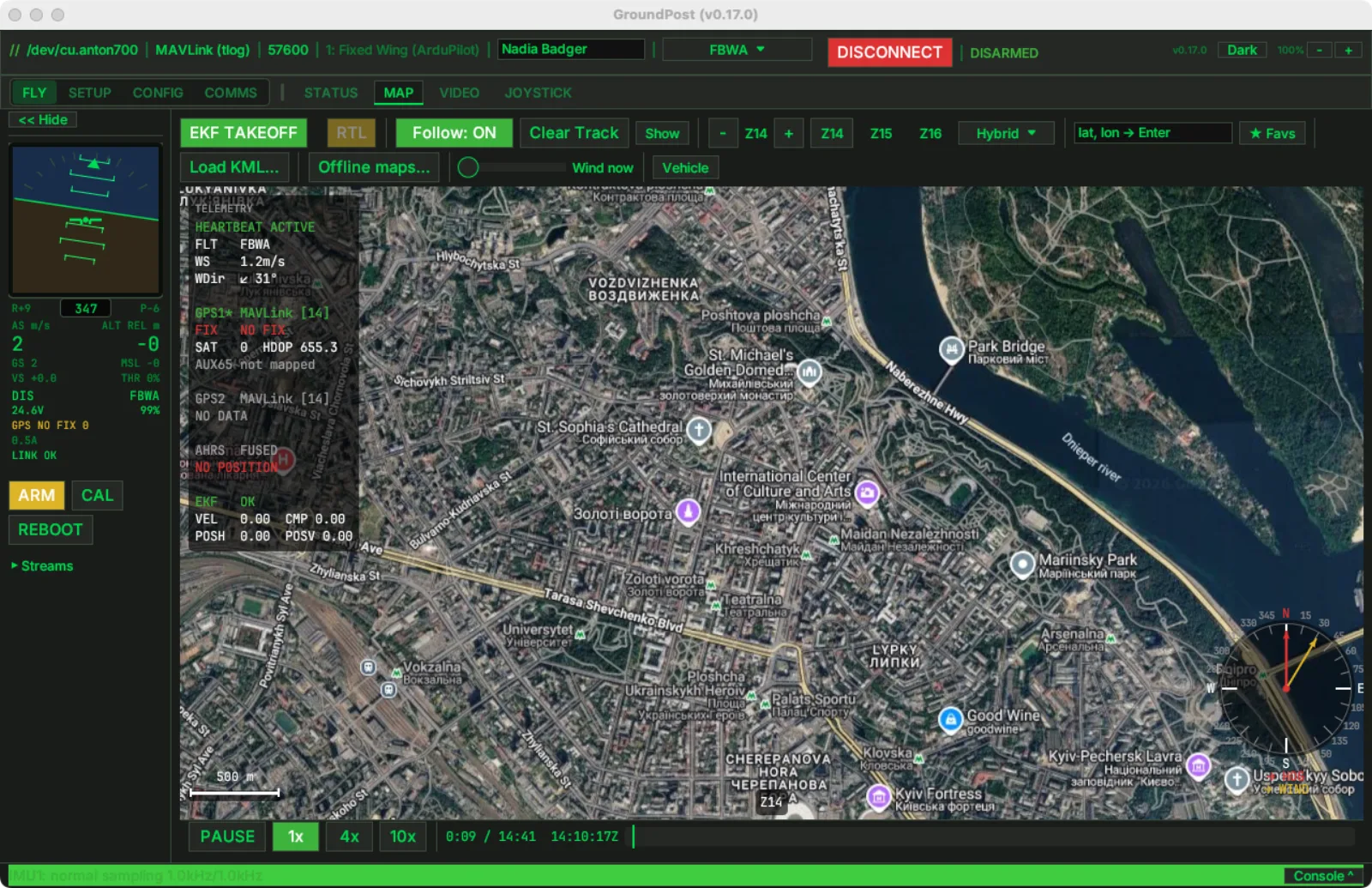
The readout shows elapsed and total time plus the recording's own UTC clock, so a timestamp from a radio log or a witness report maps straight onto the bar. Hovering the bar previews the time under the cursor; a click or a drag-and-release jumps there. The flight track is cleared on every jump so the trail you see is the one flown from that point on, not a straight line drawn across the gap.
A paused or finished replay stays silent on purpose, and the link banner knows it: no LINK LOST alarm while you study a frozen moment. When the recording reaches the end, PLAY starts it over.
For scripted use there is a --tlog <path> launch flag that opens a log straight into playback.
Shipping in the next release · macOS / Windows / Linux