Built by a team that got tired of fighting the software instead of fixing the aircraft. One app for ArduPilot and PX4, any transport, any conditions.
macOS / Windows / Linux · v0.2.2
01 / Connectivity
One protocol, two autopilots, four transports. MAVLink works the same whether it's ArduPilot or PX4 on the other end.
Full telemetry, parameters, and commands. FTP burst param download, firmware migration from 4.2 through 4.7, ArduPilot metadata with units and ranges.
Full telemetry, parameters, and commands. Same workflow as ArduPilot — auto-connects and starts streaming instantly.
02 / Monitoring
All the situational awareness you expect from a modern GCS — battery, GPS, attitude, map, logs, wind, servos, RC inputs. Nothing left out.
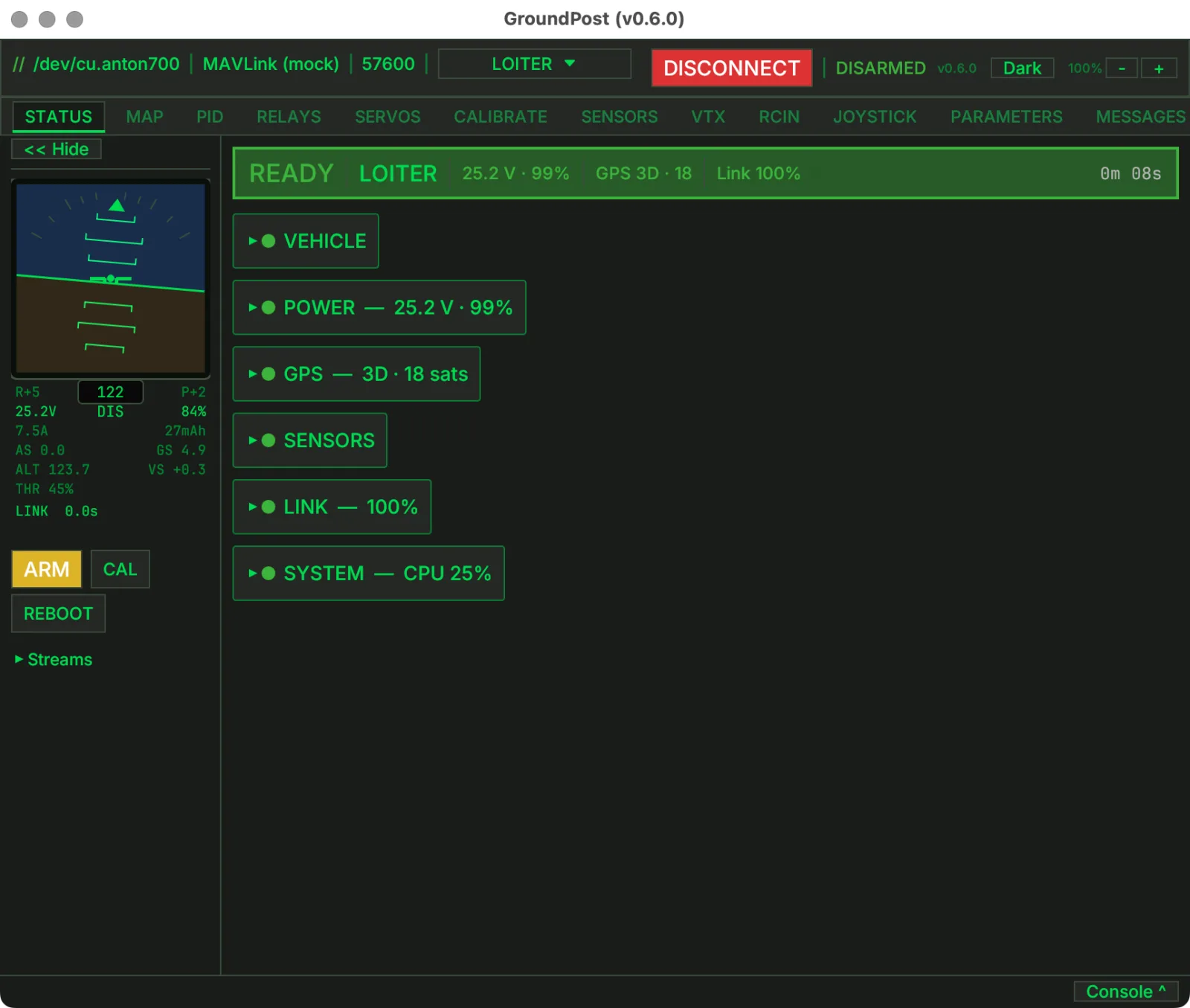
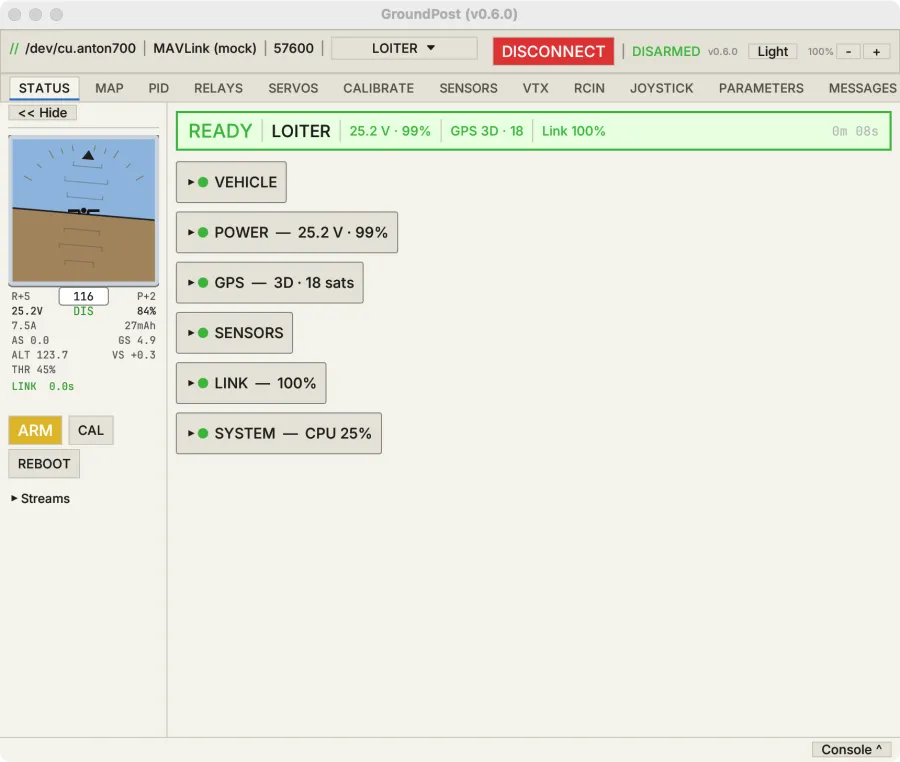
Battery, GPS, flight mode, link quality, warnings — everything at a glance. PreArm failures pinned at the top so you never miss them.
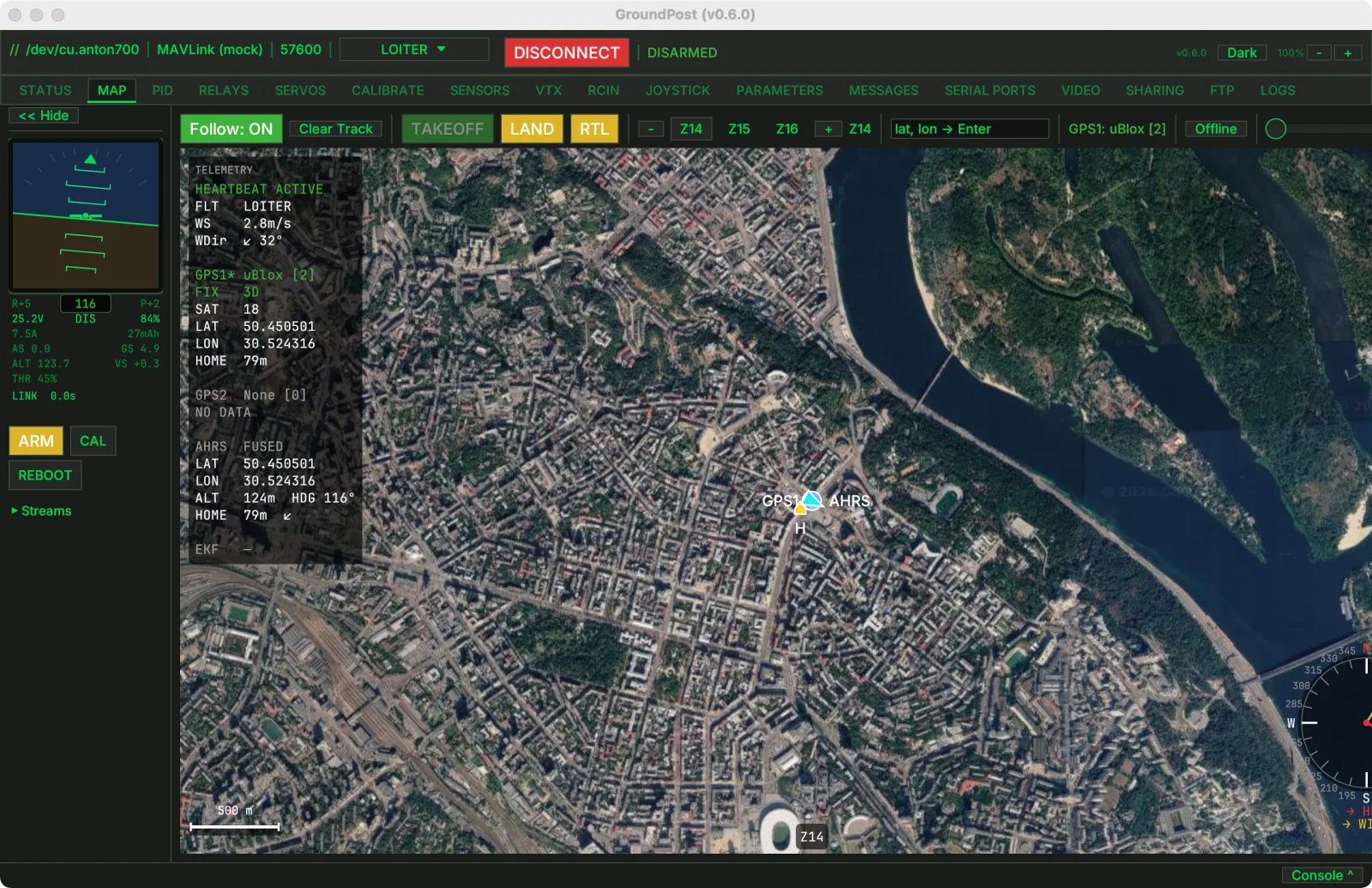
Live position on satellite imagery with flight trail. Click to FlyTo, set Home, set Origin. Works offline — pre-download tiles for your area.
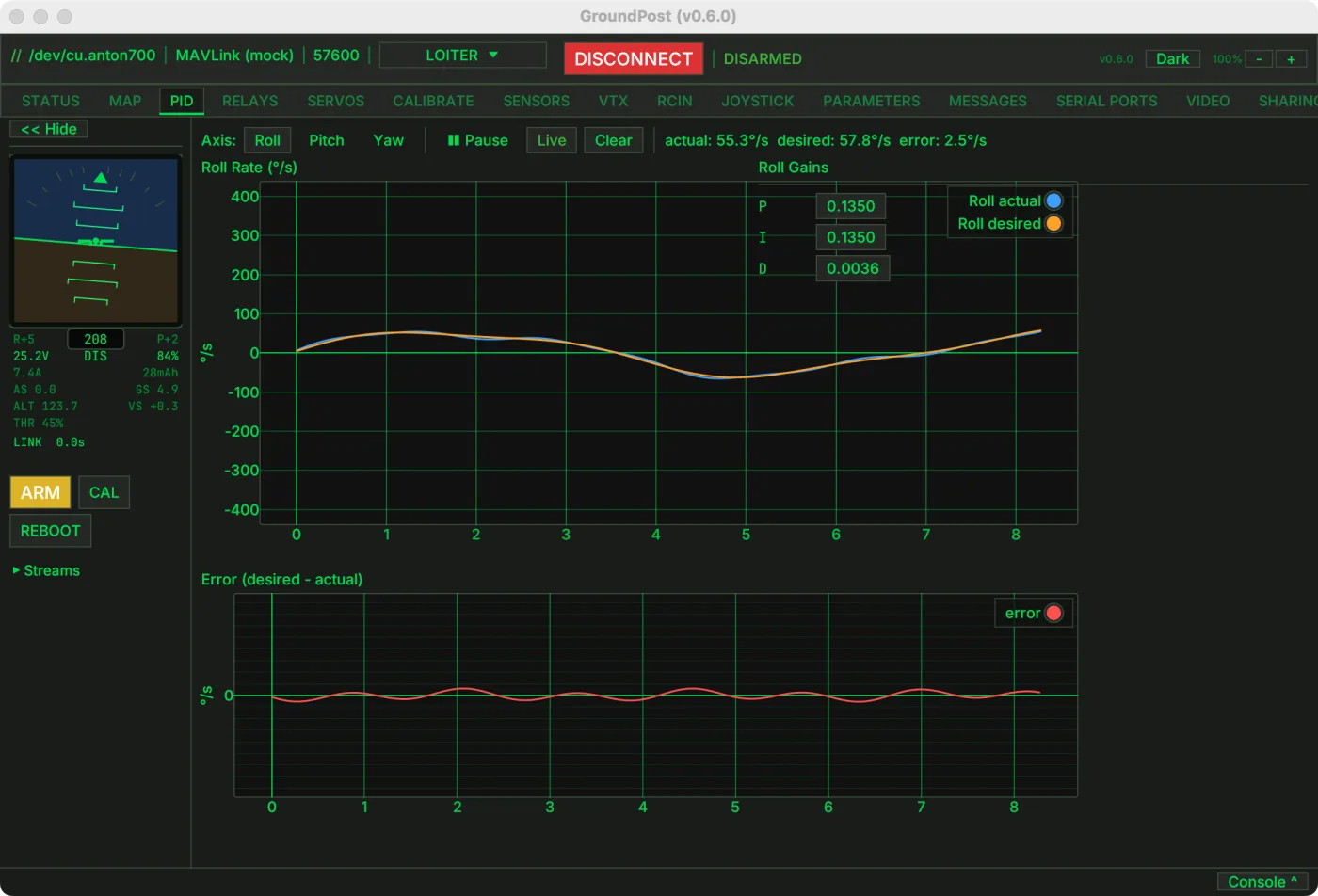
Real-time rate plot — actual vs desired vs error. See exactly how your tune performs. Edit gains live, write in one click.
16-channel live PWM bars. See function, direction, test individual outputs. Assign servo functions from a dropdown — no param hunting.
16-channel receiver input with RSSI, role labels, and aux function names. Plug in a USB gamepad for RC override — test without a transmitter.
Wind direction and speed at 6 altitude echelons shown right on the map. Auto-refreshes every 15 min or 10 km drift.
Every MAVLink message type on the bus — with sysid, rate in Hz, packet count, and decoded fields. Wireshark for your drone link.
Every session recorded automatically — .tlog (MAVProxy-compatible), .parm snapshot, session metadata. Microsecond timestamps.
Packets received, lost, rate, uptime, and link quality percentage. Know your connection health before it becomes a problem.
03 / Control
Full parameter management, flight mode switching, relay control, servo testing, VTX configuration, and firmware migration. Everything you need to configure and command your aircraft.
Read, search, edit, and write every setting on your flight controller. Import and export .param files. Grouped view by prefix, enum dropdowns, bitmask editors, range validation.
Arm, disarm, reboot, calibrate, switch flight modes, toggle relays. FlyTo from the map. Visual feedback confirms every action.
Upgrading ArduPilot? Load your old .param file and Groundpost auto-detects the version, renames parameters, converts units, and drops deprecated ones. Chains through 4.2 → 4.7.
Visual 5.8 GHz band/channel grid — click to set frequency. Power control, pitmode options. Plus a serial port configuration table with Pixhawk-standard port labels.
04 / Teamwork
The technician in the field shouldn't be alone. Groundpost connects over the network, so engineers in the office can see exactly what the field crew sees — and help.
Field tech connects via USB. Engineers in the office connect over UDP or TCP to the same aircraft. Everyone sees live telemetry, parameters, and status.
Office engineer can inspect sensor data, read parameters, and diagnose issues without being on site. The field tech keeps hands on the aircraft.
USB serial in the field, UDP relay to the office, TCP over VPN — mix and match. Same app on both ends, no separate “server” software needed.
No internet required. Pre-download satellite map tiles for your area of operations, and everything works without connectivity. Telemetry, parameters, logging — all local.
05 / Field-Ready
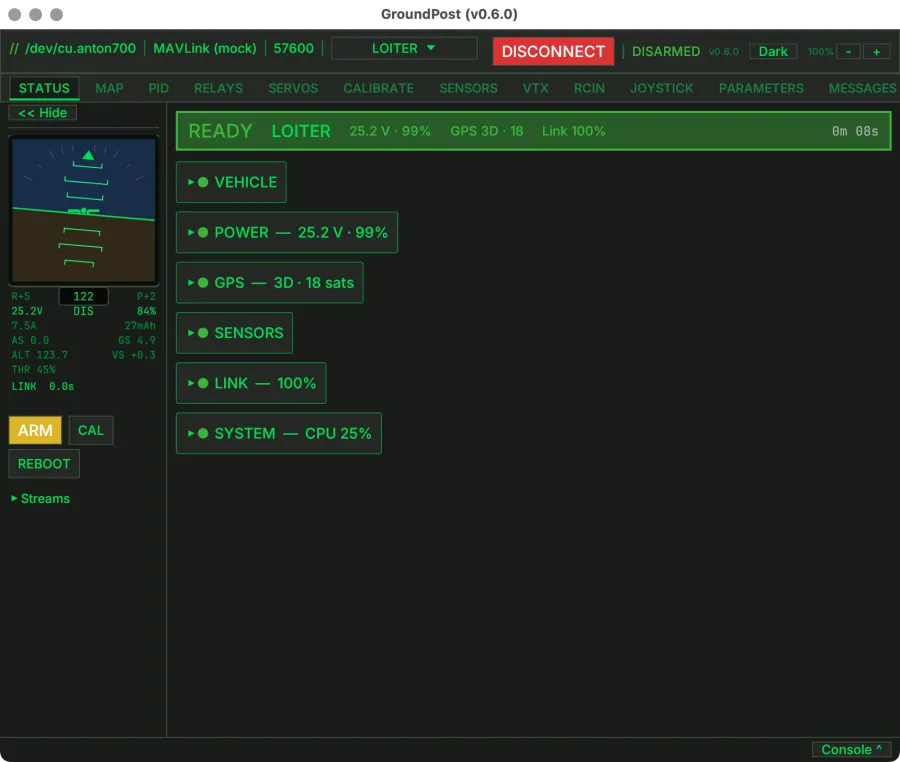
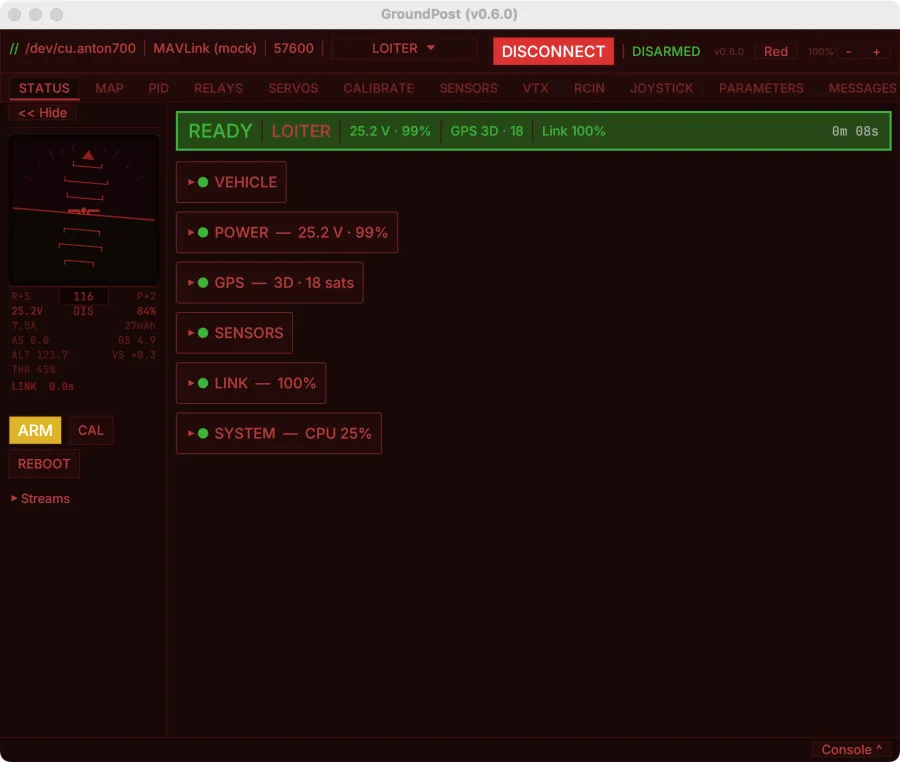
Three themes designed to MIL-STD-1472H human factors guidelines. Runs on every platform your technicians use.
High contrast dark-on-light for direct sunlight readability. Clear visual hierarchy for outdoor field use.
Scotopic-safe green phosphor palette. Reduced eye strain for indoor workshops and low-light conditions.
Dim red preserving scotopic vision. For night missions where dark adaptation must not be broken.
Checks for updates in the background. SHA256-verified download, atomic binary swap with rollback. No app store, no manual reinstall.
Sees every autopilot and companion computer on the MAVLink bus. Pick which sysid to talk to. One connection, multiple systems.