2026-08-28 · Feature
Heading line on the map.
The map tab now projects a dotted line from the vehicle in the direction it is pointed, all the way to the edge of the screen. One glance tells you what the aircraft is lined up with — the next waypoint, a treeline, or the wrong valley.
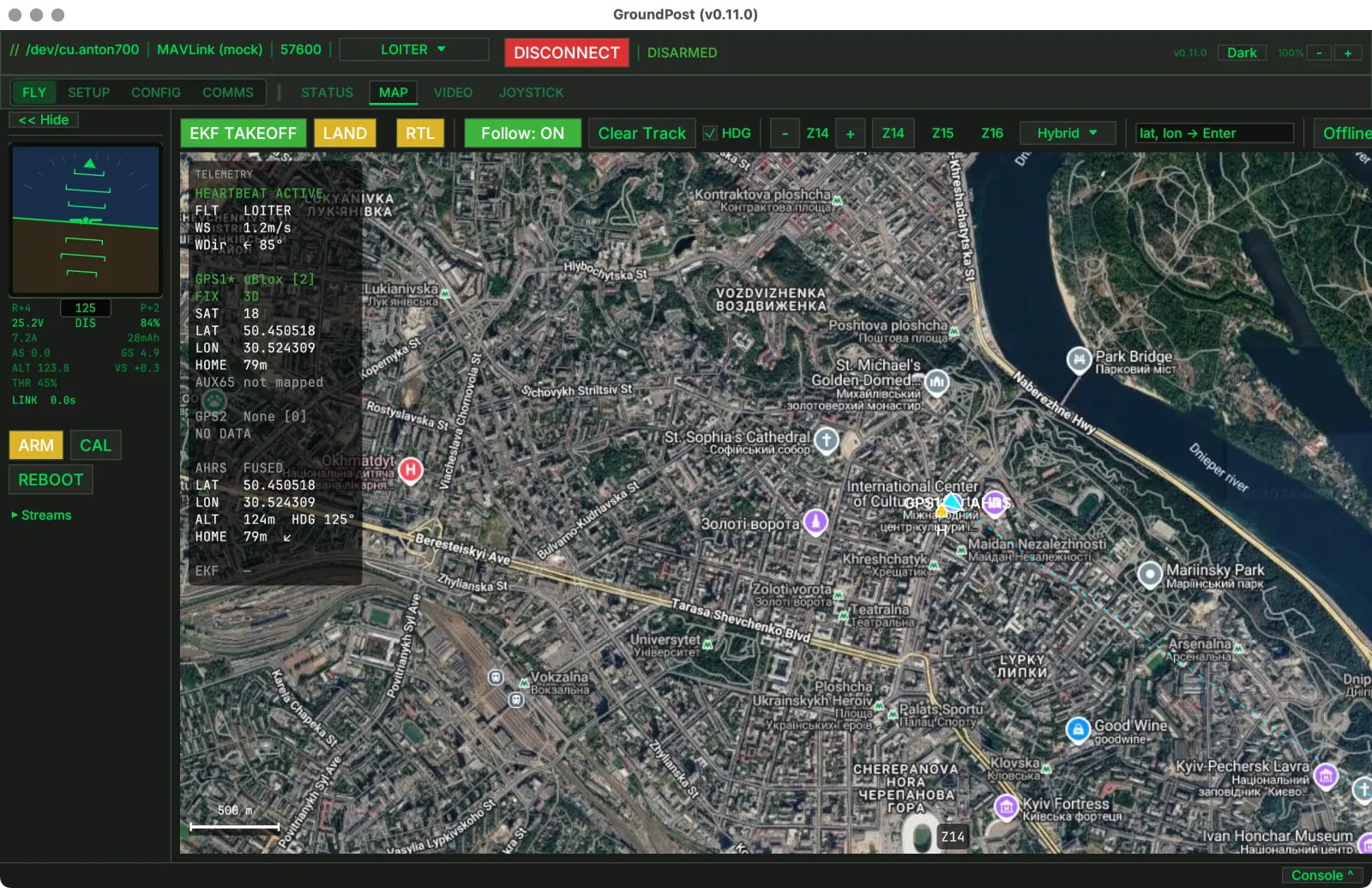
The line follows the same AHRS heading as the vehicle arrow, so the two always agree: the arrow shows where the nose points, the dotted line extends that direction across the terrain ahead. In a crosswind the aircraft may drift off this line — it shows heading, not ground track, which is exactly what you want when judging what the aircraft is aimed at.
It is on by default and toggles with the HDG checkbox in the map toolbar, next to the track controls. The setting sticks between sessions, and shared web viewers see the same line.
Shipping in the next release · macOS / Windows / Linux